
Productions and projects
Give every job a place. A production groups projects for one client, team, or area of work. A project keeps the materials for a specific film, episode, or video together.
Additional productions are available on the Pro plan.
Start your project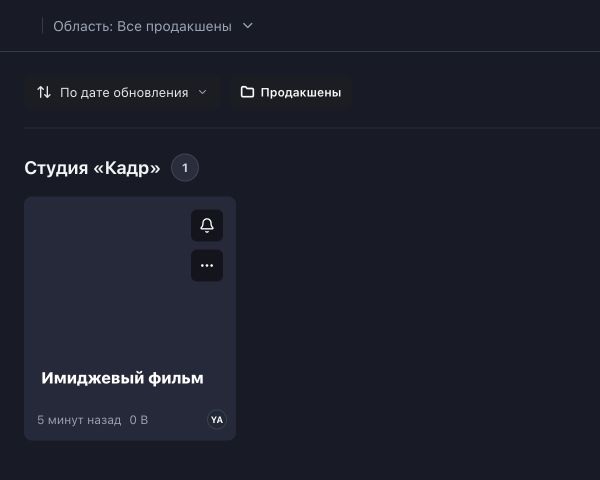
One project for each job
Keep the files and discussions for one job together. Create a separate project for the next episode. Add a revised cut as a new version of the material in the same project.
- Production
- “Shore” series
- Project
- Episode 01
- Folders
- Source footage
- Editing
- For review
Group work in a way that suits your team
Name a production after a client, team, or area of work. It does not have to share your company’s name.
| What groups the work | Projects within it |
|---|---|
| “Shore” series | Episode 01 · Episode 02 · Episode 03 |
| “Lighthouse” client | Autumn collection video · Brand film |
| “Frame” studio | Short film · Commercial |
Organise media within a project
Keep source footage, edit variants, and materials for review in separate folders. Add folders as the number of files grows.
How to upload media (Russian)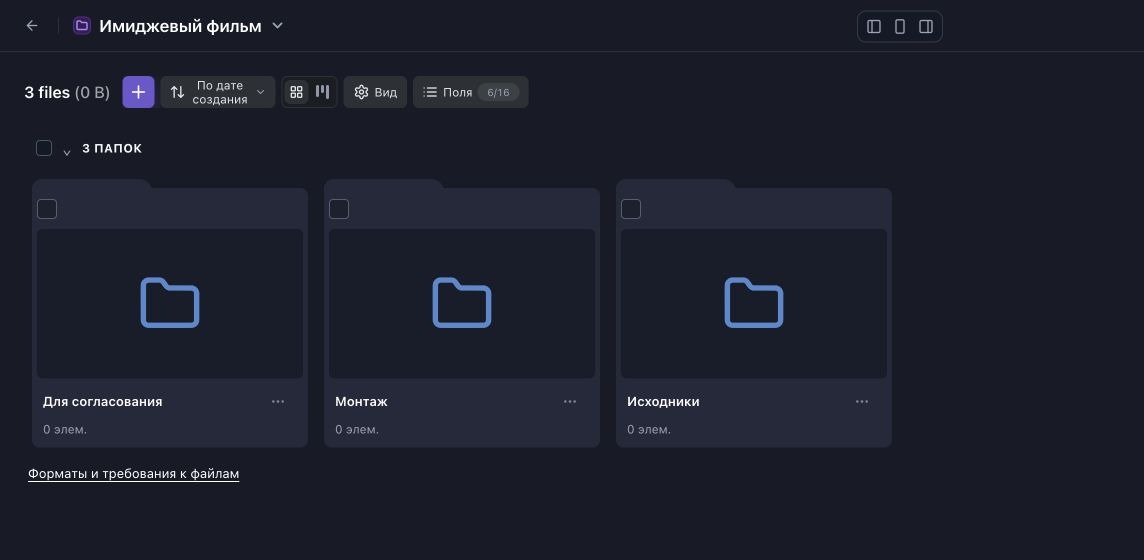
Start with one job
One production and one project are enough for your first job. Separate work further as new clients, teams, or areas of work appear.
How the workspace is organised (Russian)