One card
The grid shows a compact stack instead of a scatter of nearly identical files.
Group cuts into a stack, open two side by side, and inspect the changes. Upload a new version from your computer or choose a file already in the project.
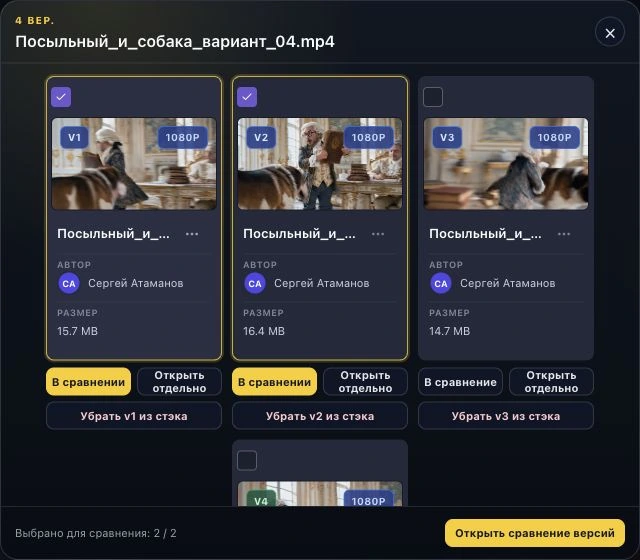
Choose “Create Version Stack” in the file menu, or “Add Version” for an existing stack. Each version remains a separate asset with its own discussion.
Choose the revised cut on your computer. After upload, it becomes the next version in the stack.
If the file is already uploaded, choose it from the current project and select “Add selected”.
Drag a new cut onto the previous asset or an existing stack and confirm the grouping.
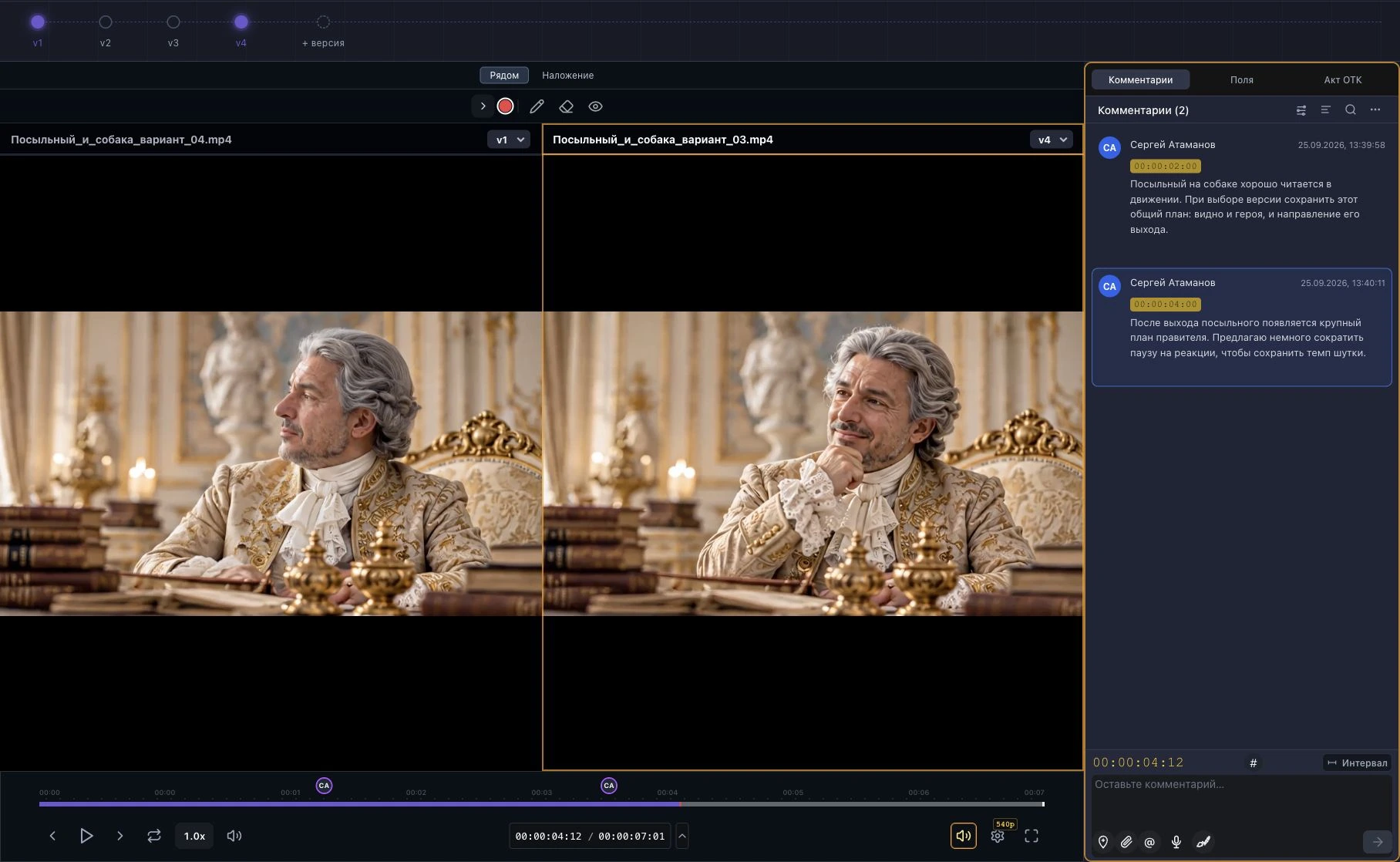
Open the stack, select exactly two versions, and start comparison. The player places both assets side by side and synchronises playback controls.
The grid shows a compact stack instead of a scatter of nearly identical files.
Versions receive sequential labels such as v1, v2, and onward.
Comments stay with the version they refer to.
Open a version independently or detach it from the stack without deleting the file.
One stack can hold several cuts. Open any version on its own or choose any two and compare them directly in the player.
Upload the first cut to a project or choose an existing asset.
Choose “Create Version Stack” in the original file menu. Upload a new file or select one from the project.
Open the stack and select two cards for comparison.
Inspect changes at the relevant moment. Before commenting, select the side that the feedback applies to.
Group cuts into one stack and make a decision while looking at both versions at once.